
Website Registration Process Update


You can search for your account with an account number, your email address, or your phone number. Your Johnson Plastics Plus account number should appear on all packing slips and invoices. Searching by more than one field at a time will give you more refined search results.

Once your account is found, the email address of a designated administrator for the account will appear. Click the Send Approval Code button to send the 6-digit code to the admin’s email address. This code will let us know that you’re, well, part of this account!

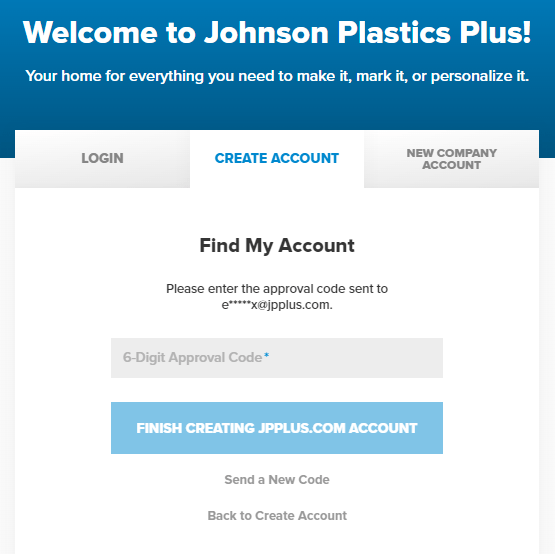
If the first email did not come through, you can request another by clicking the Send a New Code link. Sending a second code will inactivate the first code sent. You will then need to enter the code to be able to finish your online registration.
If you have any questions during this process, please contact our customer service department at service@jpplus.com or 800-869-7800.